
The question how to download movies on Xuper TV has a conditional answer: you can save content for offline viewing only if the installed version shows a download feature inside the title page or player and completes a recognizable local process. Downloading an APK from a website is a different intent. Before opening a link, separate movie downloads, app installation and ordinary streaming.
Downloading movies is not the same as downloading the APK
When someone searches for downloading movies on Xuper TV, they may mean an in-app feature: choose a movie, press a control and watch it later without a connection. Downloading Xuper TV APK means obtaining the installer. The second process does not prove that the first one exists.
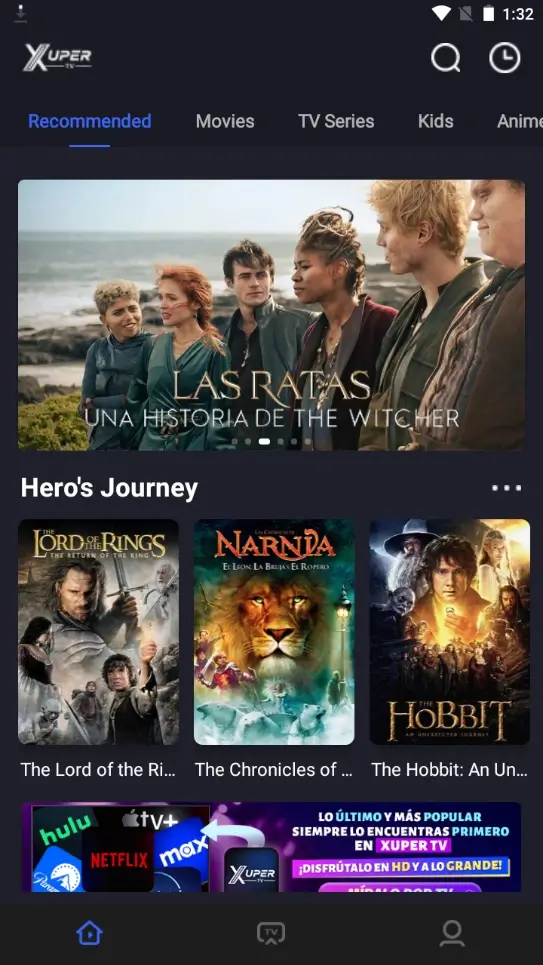
The most useful signal is what the title page itself does. If the app shows Download, Save offline, a Downloads area or a persistent local status after the app is closed, there is a feature you can test. A button that only opens a browser, a short code or a countdown page is not a movie download.
The August 11, 2026 source review did not confirm a first-party version, stable package or public documentation guaranteeing offline movie downloads across Xuper TV versions. This guide therefore focuses on verification instead of presenting a catalog or a file-hosting promise as a fact.
| What you see | What it may mean | Practical decision |
|---|---|---|
| Download inside a title page | Possible offline feature in the installed version | Check progress, status and storage |
| Download Xuper TV APK | Application installer | Review source, package and permissions |
| External code or link | A destination that can redirect or change | Do not treat it as download proof |
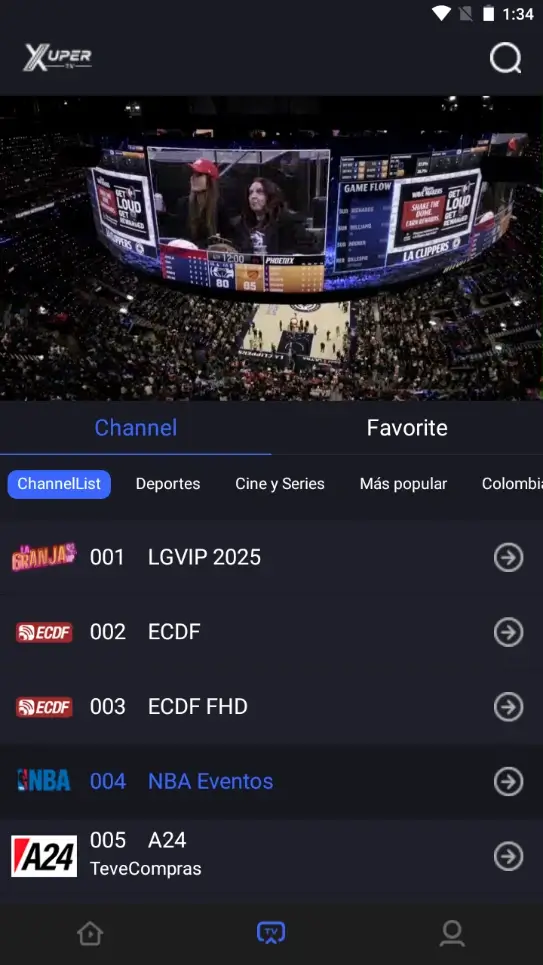
| Cast icon | Playback on another device | It is not the same as saving a movie |
How to check whether your version supports offline downloads
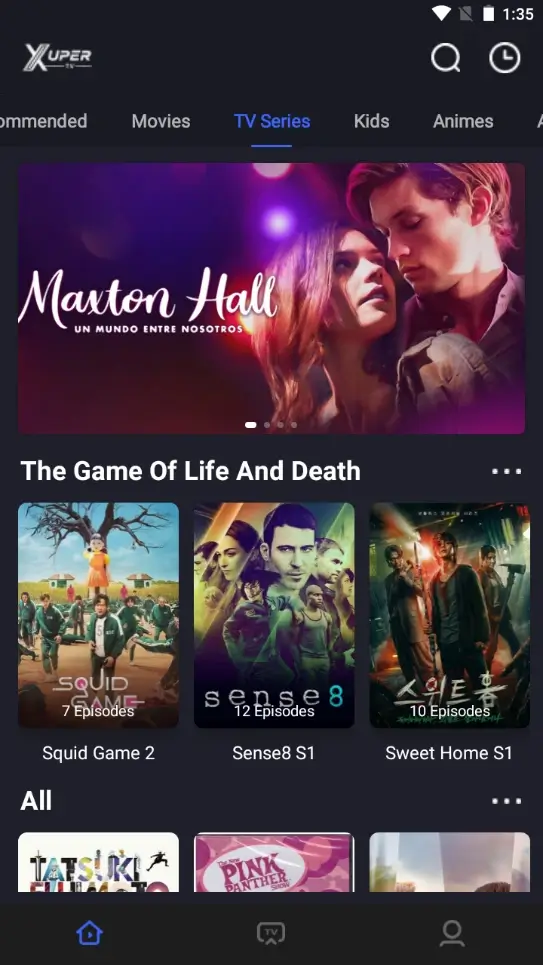
Open Xuper TV with a normal connection and enter a movie or episode page. Look for a down-arrow icon, Save offline, or a Downloads menu. Wording can vary by language, device, account and version, so do not confuse a history or favorite icon with a local file.
If you select the control, watch for an in-app queue or progress bar. A real download should expose a status that you can review without returning to a website. Wait long enough to see whether the title appears in Downloads; a short animation may only be buffering or temporary cache.
Then use airplane mode as a short test and open the local section. If the title asks for a connection again or redirects to a website, it was not saved for offline viewing. Do not clear app data or grant unrelated permissions to force a feature that the version does not expose.
| Step | What to check | Evidence you want |
|---|---|---|
| 1 | Open a movie or episode | The title page exposes content actions |
| 2 | Look for Download, Offline or Save | The control exists inside the app |
| 3 | Wait for local progress | The app says pending, downloading or ready |
| 4 | Test the local section | The title opens offline or explains its limit |
Check storage, permissions and the local file state
Do not treat a megabyte number on a mirror as an official requirement. A movie download can depend on quality, codec, subtitles and how the app handles cache. Before testing a long download, check the phone or TV Box storage and leave enough room for the operating system to finish the process.
You also need to separate cache from a permanent file. Some apps keep temporary fragments that disappear after clearing data, signing out or an entitlement expires. If the app offers a download, read its own storage and playback conditions; do not rename cache files or extensions to turn them into a movie.
Grant only the permission that the operating system requests for a relevant reason. Avoid apps that ask for contacts, SMS, accessibility or credentials to activate a download button. The public page cannot validate a signature, package or storage location that the installed version does not expose clearly.
| Signal | What to review | When to stop |
|---|---|---|
| Storage nearly full | System space and app cache | Before starting a long download |
| Unexpected file extension | Filename and origin | If it came from an external link |
| Excessive permission | Which feature needs it | If it is unrelated to playback |
| Download disappears | Offline section and conditions | If it was only temporary cache |
What to do when the Download button is missing
Reopen the title page, try another movie or episode and confirm that the device has a stable connection. Interfaces can expose different actions for movies, series and live channels. If no title shows Download, Offline or Save, the safest explanation is that this version or context does not provide the feature.
Next, check for an update only inside the app or through a source you can identify. Do not switch to an APK called premium, modded or unlimited simply because it promises downloads. Updating an app and enabling offline content are separate claims and should not be mixed.
If the actual problem is a crash, black screen or missing catalog, save the exact message and use the troubleshooting guide. Restarting the network may fix playback, but it cannot create an offline button that the product does not show.
Reopen and compare
Try another title, inspect its actions and confirm that you are not testing a live channel with no save option.
Verify before updating
A new number or the word premium is not enough. Check the domain, package, date and destination before installing.
Do not force it with codes
A Downloader code can open a URL, but it does not prove that a movie can be stored safely or legitimately.
Differences between mobile, TV Box, Firestick and PC
On an Android phone, the simplest test is the app's own Downloads area and the device storage screen. On a TV Box or Google TV device, the interface may be remote-friendly and the file location may depend on the installed file manager. Do not assume a mobile feature appears in the TV version.
Firestick, Roku and classic Chromecast have different boundaries. Installing an app, casting from a phone and saving a movie are three different operations. A classic Chromecast can receive Cast without running an APK; Roku does not become Android because a file is inside a ZIP; Firestick may need a compatible TV version, but that still does not confirm offline downloads.
On Windows or Mac through an emulator, the feature depends on the app and the emulated Android environment. If your goal is offline viewing, test the controls visible inside the app first. Do not use recorders, extensions or third-party installers as substitutes for a documented feature.
| Environment | What to check | Common confusion |
|---|---|---|
| Android mobile | Title page, Offline section and storage | Confusing APK with a movie |
| Android TV / TV Box | Remote control, file manager and space | Using the mobile build |
| Firestick | TV version and Downloader permissions | Believing a code enables offline mode |
| Roku / classic Chromecast | Compatible Cast or mirroring | Calling playback a download |
| PC with emulator | App state and emulated storage | Installing unclear files |
The responsible answer for watching movies offline
If a Xuper TV version shows an integrated download, confirm that the movie appears in the local section and that the state survives a short offline test. Read any time, quality, account or region limit shown by the interface. Availability can vary by title and installed version.
If there is no button, no progress and only external links, there is not enough evidence to claim that you can download movies on Xuper TV. Use streaming with a stable connection, review lawful services available in your region and avoid installing mods to chase an unverified promise.
This guide is separate from APK-download intent so the answer stays clear. The installer, version, size and direct URL need independent verification; a page offering a file does not prove that content can be stored or that the source is official.